Read Time: 10 minutes
A game balance spreadsheet is the structured data layer beneath every game's design. It contains the numbers that define how your game feels: character stats, damage formulas, economy values, drop rates, XP curves, and every other tunable parameter. While the GDD describes what the game is, the balance spreadsheet defines how it behaves at a granular, mathematical level.
Getting balance data right is difficult. Getting the workflow around balance data right is even harder. Most teams start with a Google Sheet, which works until three designers are editing the same tab, nobody knows who changed the mage's base damage from 12 to 45, and the exported CSV that went to the build is two days out of date.
This guide covers how to structure balance spreadsheets effectively, the common data types you will encounter, and how to solve the version control problem that plagues every team working with game data.
§Anatomy of a Balance Spreadsheet#
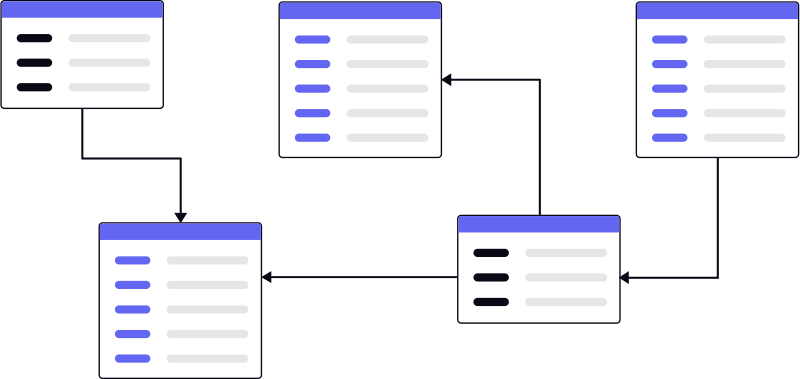
A well-structured balance spreadsheet has three layers:
Reference data — the constants and lookup tables that other calculations depend on. Rarity tiers, element types, difficulty multipliers, level caps. These change infrequently and affect everything downstream.
Entity data — the actual game objects with their stats. Characters, weapons, enemies, items, abilities. Each row is an entity. Each column is a property. This is where designers spend most of their time.
Derived data — calculated values that depend on reference and entity data. Effective DPS, time-to-kill, gold-per-hour, expected completion times. These are formulas, not manually entered values, and they serve as sanity checks on the entity data.
A typical character stats sheet might look like this:
| ID | Name | Class | HP | ATK | DEF | SPD | Rarity | Element |
|---|---|---|---|---|---|---|---|---|
| char_001 | Kira | Warrior | 1200 | 85 | 60 | 30 | Rare | Fire |
| char_002 | Sable | Assassin | 680 | 120 | 25 | 75 | Epic | Shadow |
| char_003 | Mend | Healer | 800 | 40 | 45 | 50 | Rare | Light |
Every entity has a stable ID that the game engine references. Never use names as keys. Names change during localization. IDs do not.
§Common Balance Data Types#
Character and Unit Stats#
Base stats (HP, attack, defense, speed) plus growth rates per level. Growth can be linear, exponential, or follow a custom curve. The spreadsheet should define the base values and the growth formula so you can project stats at any level without manually entering every row.
Damage and Combat Formulas#
Damage formulas typically reference attacker stats, defender stats, element multipliers, and randomness ranges. Document the formula in the spreadsheet itself, not just the resulting numbers. A cell that says "150" tells you nothing. A cell with the formula =ATK * ElementMultiplier * (1 - DEF/500) tells you everything.
Economy Values#
Currency costs, rewards, exchange rates, shop prices. Economy balance is where most games break because everything is interconnected. If quest rewards increase by 10%, every price in the shop is implicitly 10% cheaper. Track the ratios between earning rates and spending rates, not just absolute values.
Drop Rates and Loot Tables#
Probability tables for item drops, gacha pulls, random encounters. These must sum correctly (probabilities in a loot table must add up to 1.0 or 100%). Include a validation column that sums the probabilities and flags any table that does not add up. A drop rate error of 0.1% might seem trivial until ten million players each open five loot boxes and the item economy collapses.
Progression Curves#
XP requirements per level, unlock schedules, difficulty scaling. Progression curves control pacing, which is the difference between a game that feels rewarding and one that feels like a grind. Plot these curves as charts alongside the raw data. A table of XP values is hard to evaluate. A chart that shows the curve flattening at level 40 is immediately obvious.
§The Version Control Problem#
Spreadsheets are among the hardest documents to version-control, and this is precisely where most teams struggle.
No meaningful diffs. When a designer changes five values in a spreadsheet, traditional version control tools (Git, SVN) show you that the binary file changed. They cannot show you which cells were modified, what the old values were, or whether the formulas are still valid. You know something changed. You have no idea what.
Last-save-wins. Two designers open the same spreadsheet. Both make changes. One saves. The other saves, overwriting the first person's changes. Google Sheets solves this with real-time collaboration, but introduces a new problem: changes happen silently. There is no review step, no approval process, and no way to say "wait, why did the dragon's HP triple overnight?"
No branching. Software teams branch code to experiment with changes safely. Balance teams cannot branch a spreadsheet. If you want to test an alternative economy model, you copy the entire sheet, make changes, and then manually reconcile when the original sheet has also changed. This process is error-prone and does not scale.
No audit trail. Google Sheets has a revision history, but it tracks saves, not intent. You can see that cell B47 changed from 100 to 250, but not why. There is no "change prompt" or commit message explaining the reasoning. Six months later, nobody remembers why the change was made, and nobody wants to risk reverting it.
§How to Structure Your Balance Data#
Use Consistent Naming Conventions#
Every ID should follow a pattern: {type}_{number} or {type}_{name}. Pick one and enforce it. Mixed naming conventions create bugs that are invisible in the spreadsheet but crash the game at runtime.
- —Good:
weapon_001,weapon_002,weapon_003 - —Good:
weapon_iron_sword,weapon_fire_staff,weapon_shadow_dagger - —Bad:
Sword1,fire staff,WEAPON-shadow-dagger
Normalize Your Data#
Do not repeat information across sheets. If character rarity defines a stat multiplier, put the multiplier in a rarity reference table and look it up. If you hardcode the multiplier in every character row, changing the Epic multiplier means finding and updating every Epic character manually.
Separate Data from Presentation#
The spreadsheet the designer edits should not be the same file the game engine reads. Maintain a clean data sheet with only IDs and values, no formatting, no colors, no merged cells. Use a separate "designer view" with conditional formatting, charts, and notes.
Cross-Reference Everything#
When one sheet references another (weapons reference a damage type table, characters reference a class table), use explicit ID lookups, not positional references. If someone inserts a row in the damage type table, every positional reference in the weapon table breaks silently.
Add Validation Columns#
Include columns that check constraints: "Is HP within expected range for this rarity?" "Do all drop rates in this table sum to 100%?" "Is the gold cost positive?" Validation columns catch errors at authoring time instead of during a playtest two weeks later.
§Exporting to Game Engines#
Most game engines consume balance data as JSON or CSV. The export process should be automated and deterministic: same input spreadsheet, same output file, every time.
JSON Export#
JSON is the most flexible format. It preserves types (numbers stay numbers, strings stay strings) and supports nested structures:
{
  "characters": [
    {
      "id": "char_001",
      "name": "Kira",
      "class": "Warrior",
      "stats": { "hp": 1200, "atk": 85, "def": 60, "spd": 30 },
      "rarity": "Rare",
      "element": "Fire"
    }
  ]
}
Unity reads JSON natively via JsonUtility or third-party libraries like Newtonsoft. Unreal uses FJsonObject or data tables imported from JSON.
CSV Export#
CSV is simpler but loses type information. Everything is a string until the engine parses it. CSV works well for flat tables (one entity per row, one property per column) but poorly for nested data.
id,name,class,hp,atk,def,spd,rarity,element
char_001,Kira,Warrior,1200,85,60,30,Rare,Fire
char_002,Sable,Assassin,680,120,25,75,Epic,Shadow
Unity imports CSV via custom editor scripts or ScriptableObject generators. Unreal's data table system supports CSV import directly.
Automation Tips#
- —Export from a CI pipeline, not from a designer's local machine
- —Validate the export against a schema before it enters the build
- —Include a hash or version number in the exported file so the game can verify it loaded the expected data
- —Never manually edit the exported file. Always edit the source spreadsheet and re-export.
§Tracking Changes in Balance Data#
This is where version control transforms the balance workflow from chaotic to professional.
When your balance spreadsheets live in a version-controlled system, every change is a tracked event. You can see exactly which values changed, when they changed, and read the change prompt explaining why. When a playtest reveals that the economy is broken, you can diff the balance data between the last stable build and the current one to find exactly what shifted.
Gameframe provides visual diffs specifically designed for spreadsheet data. Instead of staring at two CSVs trying to spot differences, you see a highlighted view showing exactly which cells changed, with old and new values side by side. Combined with branching, you can create a "balance-experiment" branch, adjust the economy, export to a test build, and merge only if the playtest results are positive. If the experiment fails, you discard the branch. The production data is untouched.
This workflow eliminates the four problems described earlier:
- —Meaningful diffs — see exactly which cells changed and what the old values were
- —No more last-save-wins — changes go through branches and merges with conflict detection
- —Real branching — experiment with balance changes without risking production data
- —Full audit trail — every change has a prompt explaining the reasoning
§Getting Started#
If your balance data currently lives in Google Sheets or Excel files scattered across a shared drive, the migration path is straightforward:
- 1.Export each sheet as CSV or use the native
.gsheetformat - 2.Import into Gameframe as versioned documents
- 3.Establish a branching convention:
mainfor production data, feature branches for experiments - 4.Set up export automation from the versioned data to your game engine's expected format
Your balance data deserves the same rigor as your source code. Version it, branch it, review it, and never lose a change again.
Related Topics
About the Author
The Gameframe team builds version control tools specifically for game designers and studios.
Continue Reading
How to Write a Game Design Document (Step-by-Step)
A practical, no-fluff guide to writing a GDD that your team will actually read. Covers structure, common mistakes, and how to keep it alive as your game evolves.
GuidesConnect Your Game Design Docs to Claude Code (Step-by-Step)
A step-by-step tutorial for connecting Claude Code to your GameFrame workspace using the MCP server. Read GDDs, search entities, and compare versions from your terminal.
GuidesGetting Started: Your First Workspace in 10 Minutes
Create your first workspace, upload your first document, and understand why Gameframe is different. Complete beginner's guide.
What's next
Start version controlling your game design docs today.
Join studios already using Gameframe to track changes, branch ideas, and keep their teams aligned.
Get started free